
Packs
Pack settings
Platform-wide rules for odds, buy-back, fairness, the vault and shipping.
These settings apply to every product on a packs platform. They live in Settings on the tabs below. For card pricing rules, see Pricing catalog.
Packs tab: economics, limits and reveal
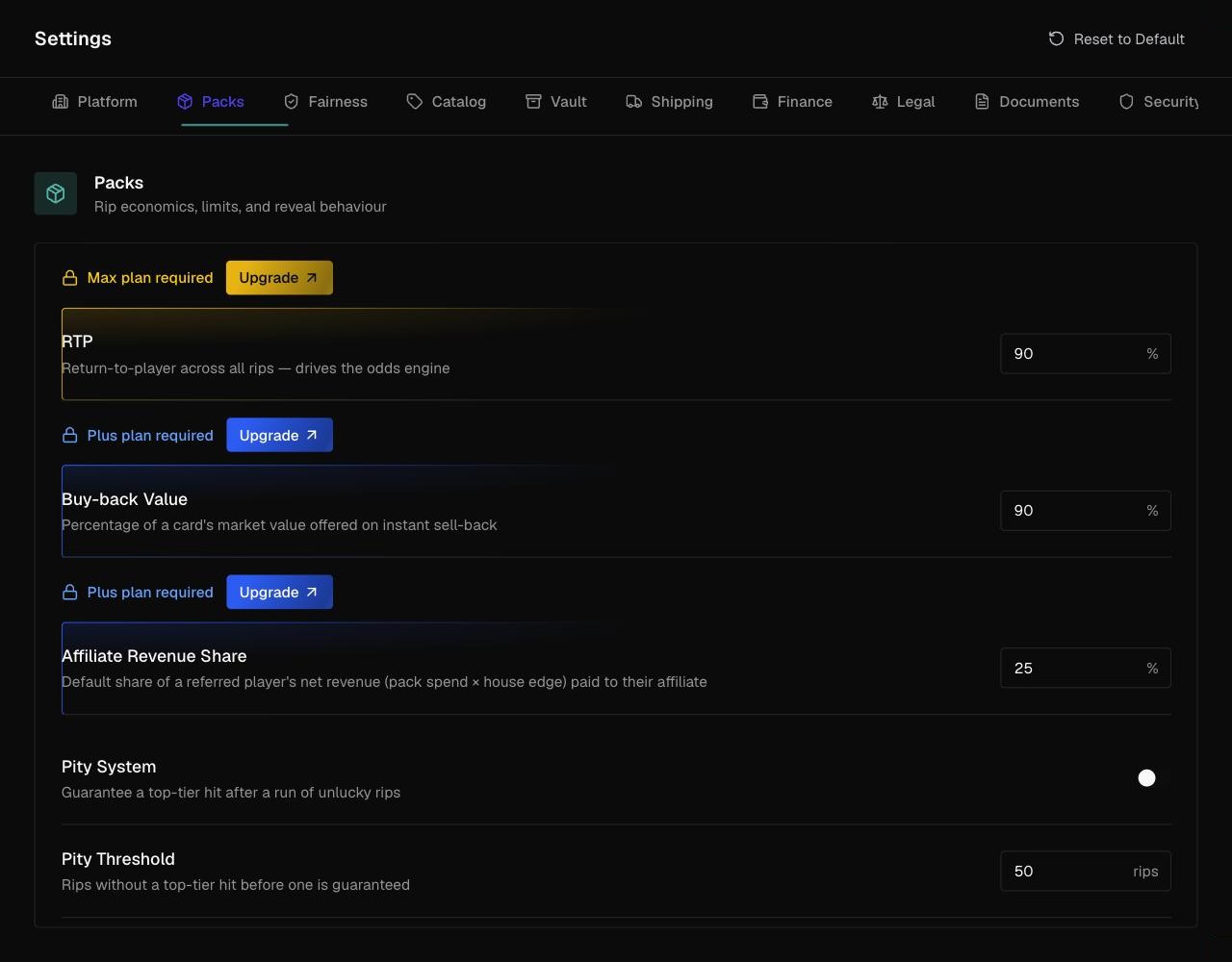
| Setting | What it does |
|---|---|
| RTP | Return-to-player across all rips, as a percentage. It drives the odds engine |
| Buy-back Value | The percentage of a card's market value offered when a player sells it straight back |
| Affiliate Revenue Share | The default share of a referred player's net revenue paid to their affiliate. Net revenue is pack spend × house edge |
| Pity System | Guarantees a top-tier hit after a run of unlucky rips |
| Pity Threshold | How many rips without a top-tier hit before one is guaranteed |
| Daily Rip Limit | The most rips one player can make per day. 0 means unlimited |
| Per-order Limit | The most packs in a single checkout |
| Reveal Speed | How quickly the pack-opening animation plays |
| Auto-reveal | Reveals all cards at once instead of one at a time |
| Allow Skip | Lets players skip the reveal animation |
How RTP and buy-back work together
RTP sets how much card value players receive. Buy-back sets how much of that value you pay out in credit when they sell a card back instead of keeping it.
With RTP at 90% and buy-back at 90%, a player who sells back everything from a $100 pack receives about $81 in credit on average ($100 × 0.90 × 0.90).
Fairness tab
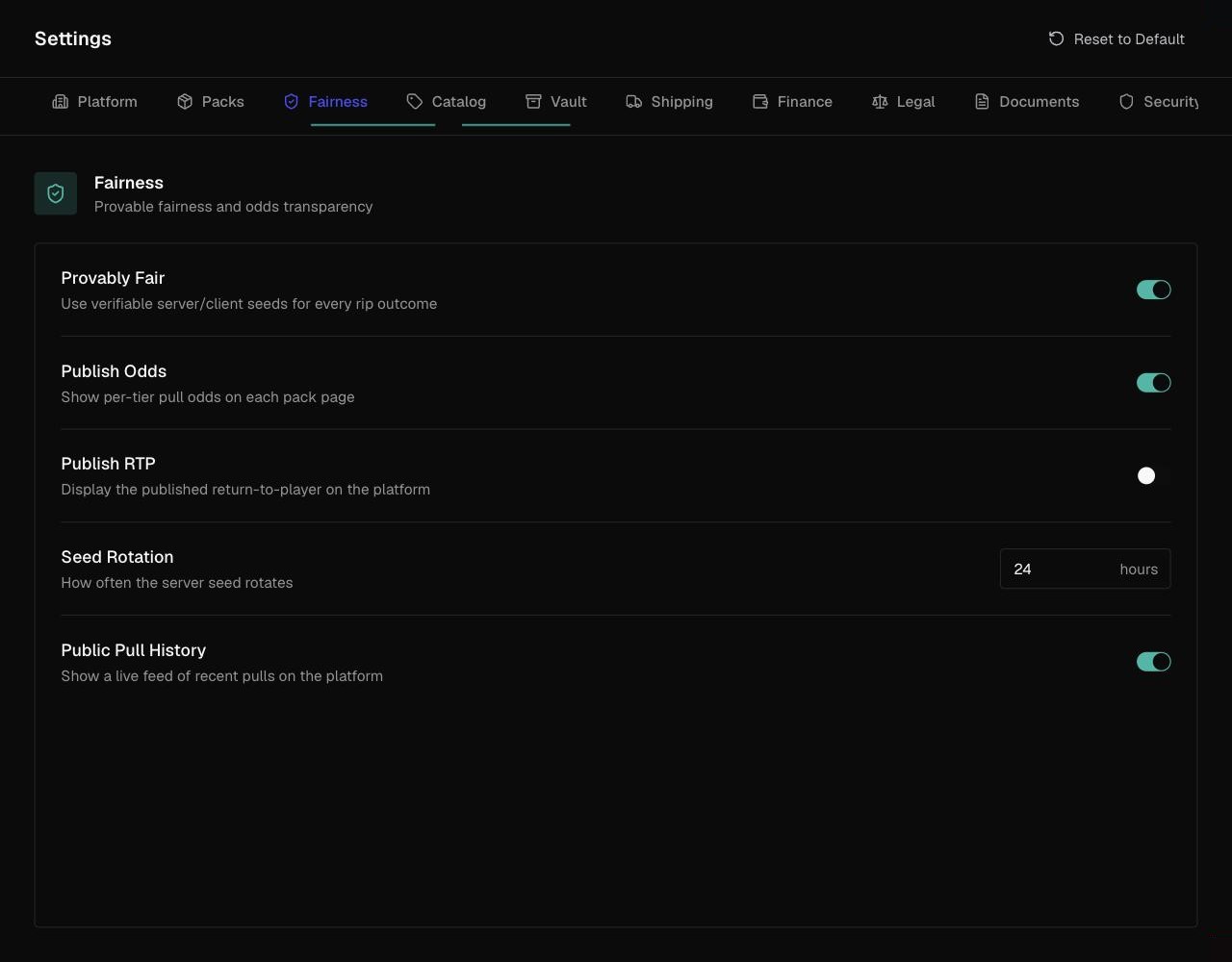
| Setting | What it does |
|---|---|
| Provably Fair | Uses verifiable server and client seeds for every rip outcome |
| Publish Odds | Shows the pull odds for each tier on every pack page |
| Publish RTP | Displays the published return-to-player on the platform |
| Seed Rotation | How often the server seed rotates, in hours |
| Public Pull History | Shows a live feed of recent pulls on the platform |
Publishing odds and RTP lets players see what they are buying. Check the rules that apply to your platform before turning either off.
Vault tab
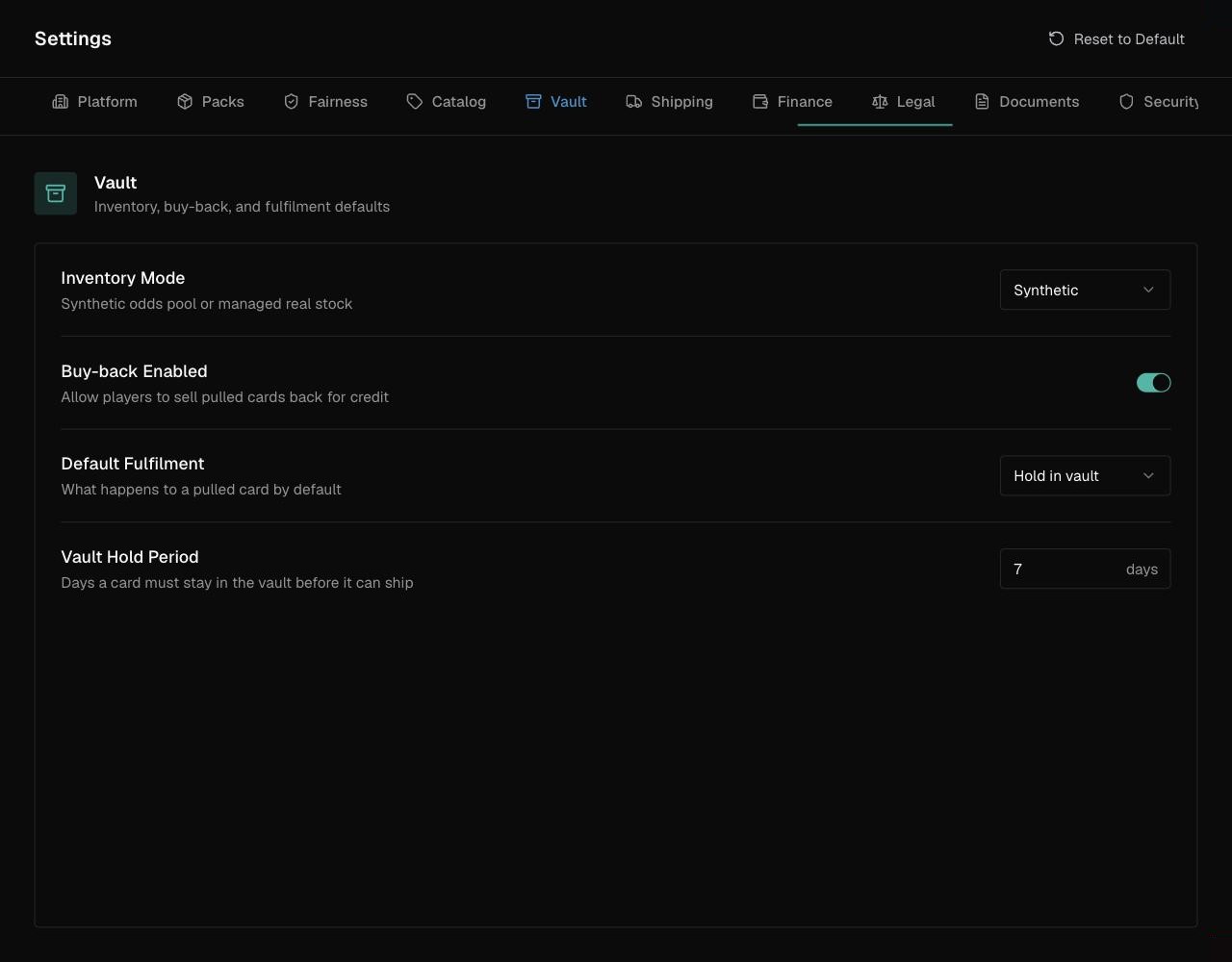
The vault is where pulled cards sit until the player sells, keeps or ships them.
| Setting | What it does |
|---|---|
| Inventory Mode | Synthetic uses an odds pool. The alternative is managed real stock |
| Buy-back Enabled | Lets players sell pulled cards back for credit |
| Default Fulfilment | What happens to a pulled card by default, for example Hold in vault |
| Vault Hold Period | The number of days a card must stay in the vault before it can ship |
Shipping tab
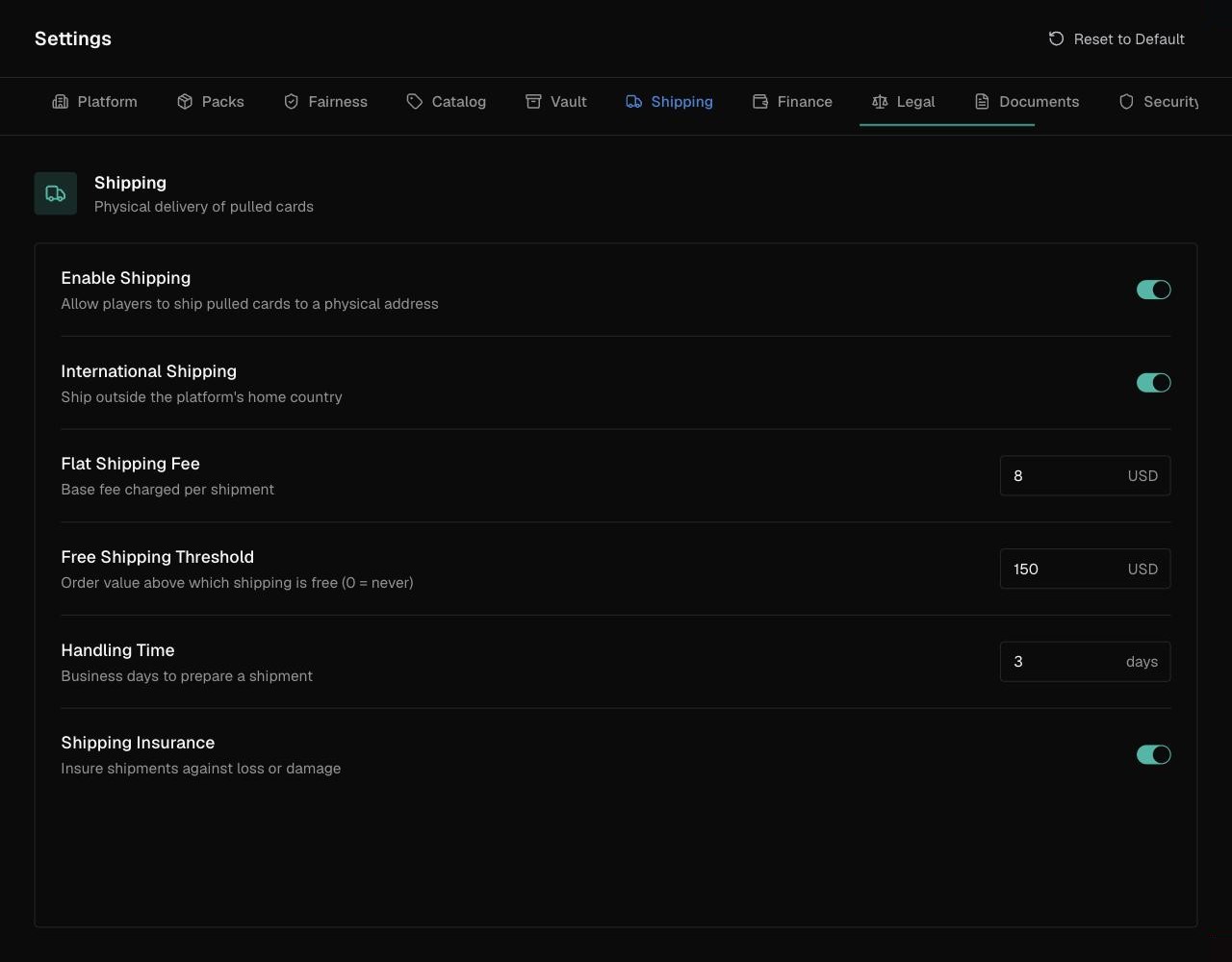
The sidebar's Fulfillment link opens this tab.
| Setting | What it does |
|---|---|
| Enable Shipping | Lets players ship pulled cards to a physical address |
| International Shipping | Ships outside the platform's home country |
| Flat Shipping Fee | The base fee charged per shipment, in USD |
| Free Shipping Threshold | The order value above which shipping is free. 0 means never |
| Handling Time | Business days needed to prepare a shipment |
| Shipping Insurance | Insures shipments against loss or damage |
Security tab: age and identity gates
| Setting | What it does |
|---|---|
| Minimum Age | The age gate required to open packs, for example 18+ |
| KYC Before Ripping | Requires identity verification before a player can rip |
| KYC Before Shipping | Requires identity verification before physical cards ship |
The same tab holds your Didit keys. See KYC.
Finance tab: sales tax
Packs platforms add three tax settings to the standard Finance settings.
| Setting | What it does |
|---|---|
| Collect Sales Tax | Adds tax to physical shipments at checkout |
| Tax Rate | The percentage applied when tax collection is on |
| Tax Region | The jurisdiction label shown on receipts, for example CA or EU |