
Players
Users
Find, filter and export the players on your platform.
Users & Access → Users lists every player registered on your platform. Two counters sit at the top: Total Users and Live Users (players online now).
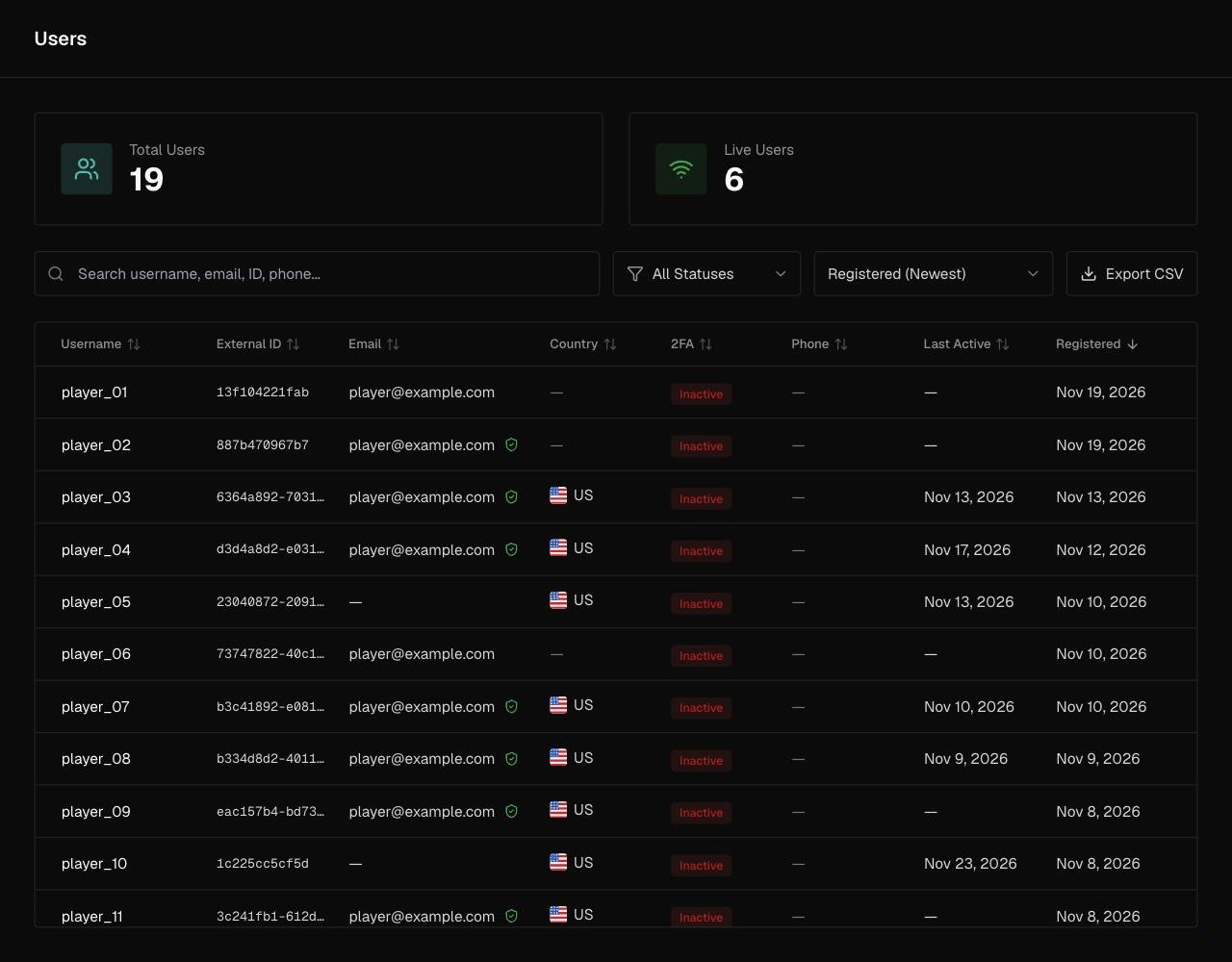
Columns
| Column | What it shows |
|---|---|
| Username | The player's display name |
| External ID | The player's unique ID. Quote it when you contact support about a player |
| The player's email, if they registered with one | |
| Country | The player's country |
| Status | Whether the player is currently active |
| 2FA | Whether two-factor authentication is on |
| Phone | The player's phone number, if provided |
| Last Active | The last time the player was seen |
| Registered | The registration date |
Click a column header to sort by it.
Filters and export
| Control | What it does |
|---|---|
| All Statuses | Filters the list by player status |
| Sort menu | Changes the order, for example Registered (Newest) |
| Export CSV | Downloads the list as a CSV file |
The export contains personal data. Store and share it under your own privacy policy.
Player profiles
Click a player to open their profile, where you can review their activity and manage their account: balances, rank, bonuses, wagering requirements, sessions and KYC.