
Compliance
KYC
Build identity verification levels, connect Didit, and review submissions.
Identity verification on Axis is built from levels. Each level asks the player for something and unlocks something in return. Verification checks are run by Didit.
| Page | Where | What it is for |
|---|---|---|
| KYC Settings | Compliance → KYC Settings | Define the levels |
| KYC Reviews | Users & Access → Backoffice → KYC Reviews | Approve or decline submissions |
| Security | Settings → Security | Didit keys and verification mode |
Levels
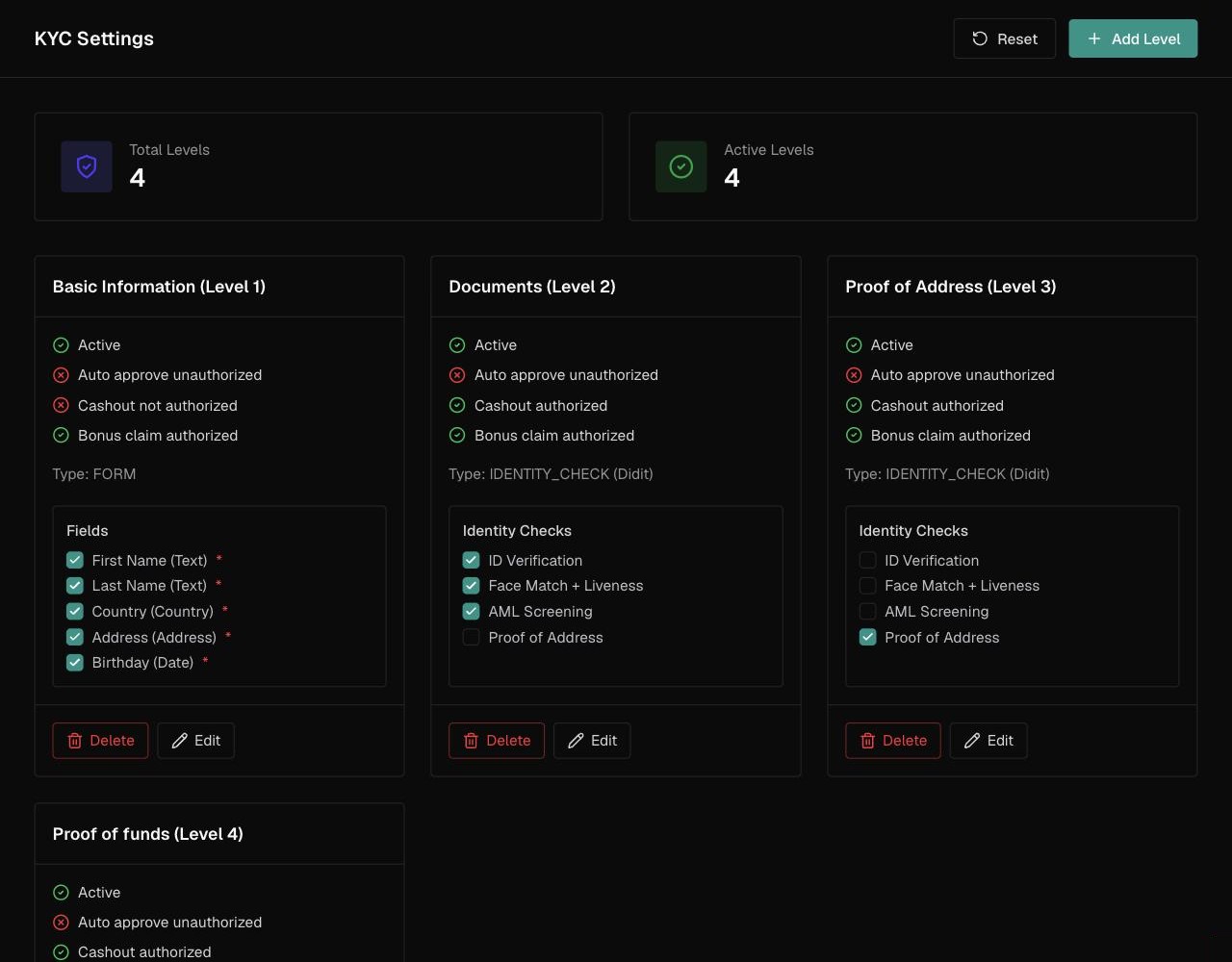
KYC Settings lists your levels in order, with Total Levels and Active Levels counters.
What a level contains
| Part | What it means |
|---|---|
| Name and number | For example "Basic Information (Level 1)" |
| Status | Active levels are shown to players |
| Type | FORM or IDENTITY_CHECK. See below |
| Auto approve | Whether a submission is approved without a human review |
| Cashout | Whether reaching this level allows withdrawals |
| Bonus claim | Whether reaching this level allows bonus claims |
Level types
| Type | What the player does |
|---|---|
| FORM | Fills in fields you choose, such as first name, last name, country, address and birthday. Each field can be required |
| IDENTITY_CHECK | Completes a Didit check. You choose which checks run |
Identity checks
| Check | What it verifies |
|---|---|
| ID Verification | A government ID document |
| Face Match + Liveness | That the person present matches the ID |
| AML Screening | Sanctions and watchlist screening |
| Proof of Address | A document confirming where the player lives |
A typical ladder
| Level | Type | Unlocks |
|---|---|---|
| 1. Basic Information | FORM | Bonus claims |
| 2. Documents | IDENTITY_CHECK | Withdrawals and bonus claims |
| 3. Proof of Address | IDENTITY_CHECK | Withdrawals and bonus claims |
| 4. Proof of Funds | IDENTITY_CHECK | Withdrawals and bonus claims |
The key decision is which level unlocks cashout. In the ladder above, a player can deposit and play after Level 1 but cannot withdraw until they pass Level 2.
Creating a level
- Click Add Level.
- Set the four switches: Active, Auto approved, Can cashout and Can claim bonus.
- Enter a Name and, if you like, a Description.
- Set the Level number. Players complete levels in number order.
- Choose the Type.
- For a FORM level, click Add field for each piece of information you want.
- Click Create.
| Switch | On means |
|---|---|
| Active | The level is shown to players |
| Auto approved | A submission passes without anyone reviewing it |
| Can cashout | Reaching this level unlocks withdrawals |
| Can claim bonus | Reaching this level unlocks bonus claims |
Turn Auto approved on only for low-risk levels such as a basic details form. Leave it off for any level that unlocks cashout.
Managing levels
| Action | What it does |
|---|---|
| Add Level | Adds a level |
| Edit | Changes a level's fields, checks or permissions |
| Delete | Removes a level |
| Reset | Restores the default levels and discards your changes |
Connecting Didit
- Create an account at
business.didit.me. - Copy your API key into Settings → Security → Didit API Key.
- Copy your webhook secret into Didit Webhook Secret. Axis uses it to confirm that results really came from Didit.
- Choose a KYC Verification Mode.
- Run a test verification with a test player before going live.
Verification mode
| Mode | What happens after Didit returns a result |
|---|---|
| Manual | The submission waits in KYC Reviews for your team |
| Automatic | The result is applied without review |
KYC Reviews
KYC Reviews is the queue of submissions. Tabs split it into Pending, Approved, Declined and All.
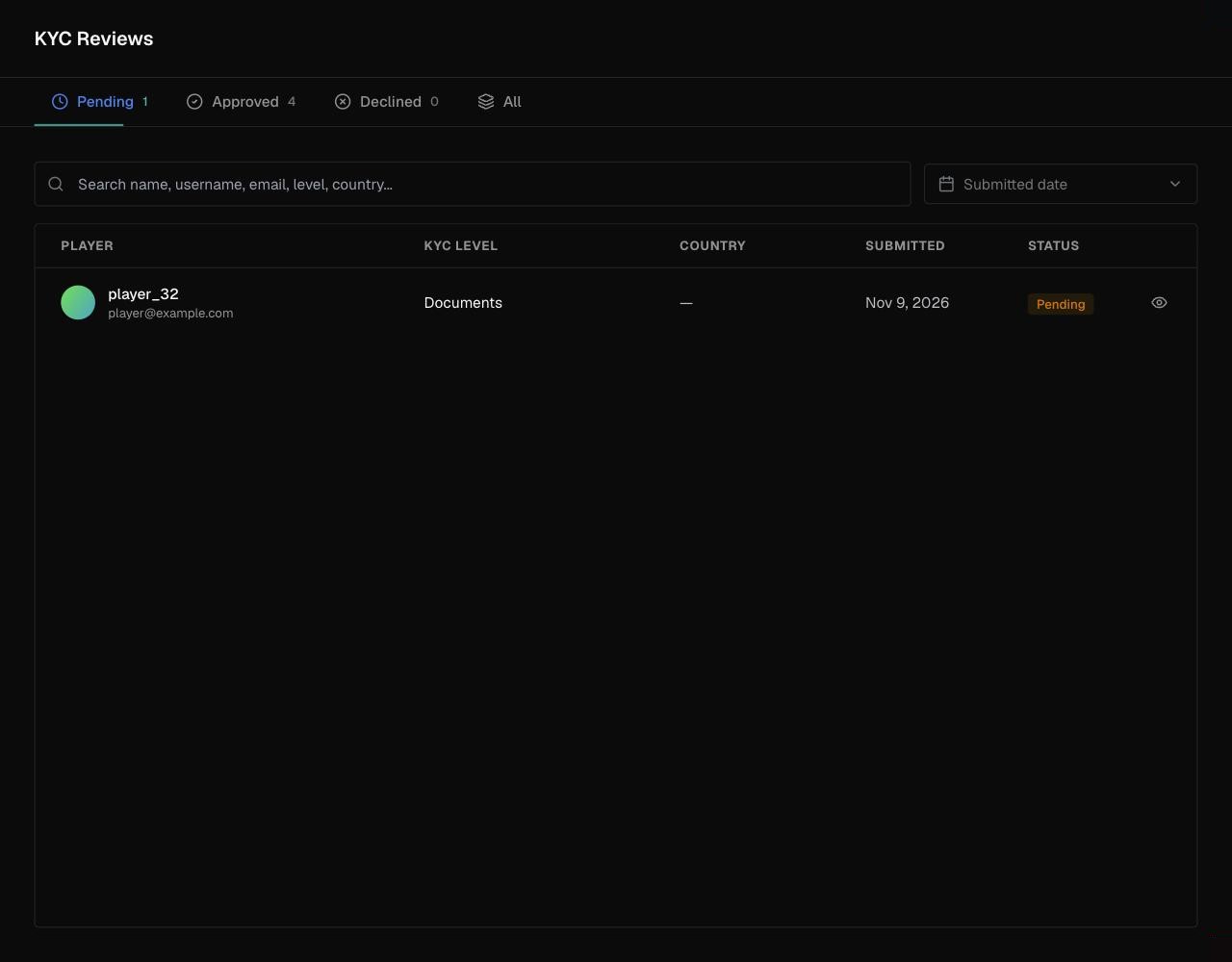
| Column | What it shows |
|---|---|
| Player | Who submitted |
| KYC Level | The level they are applying for |
| Country | Their country |
| Submitted | When they submitted |
| Status | Pending, approved or declined |
Sort by submitted date to work the oldest requests first. Pending reviews can also raise a notification; see Notifications.
Packs platforms
Packs platforms add two gates under Settings → Security: KYC Before Ripping and KYC Before Shipping. See Pack settings.