
Packs
Pricing catalog
The card catalog that supplies market values to your packs, and how it stays in sync.
Platform Management → Pricing holds the catalog of cards your platform can price. Card values come from PriceCharting, and each catalog card is linked to its PriceCharting ID.
The header shows how many cards the catalog holds.
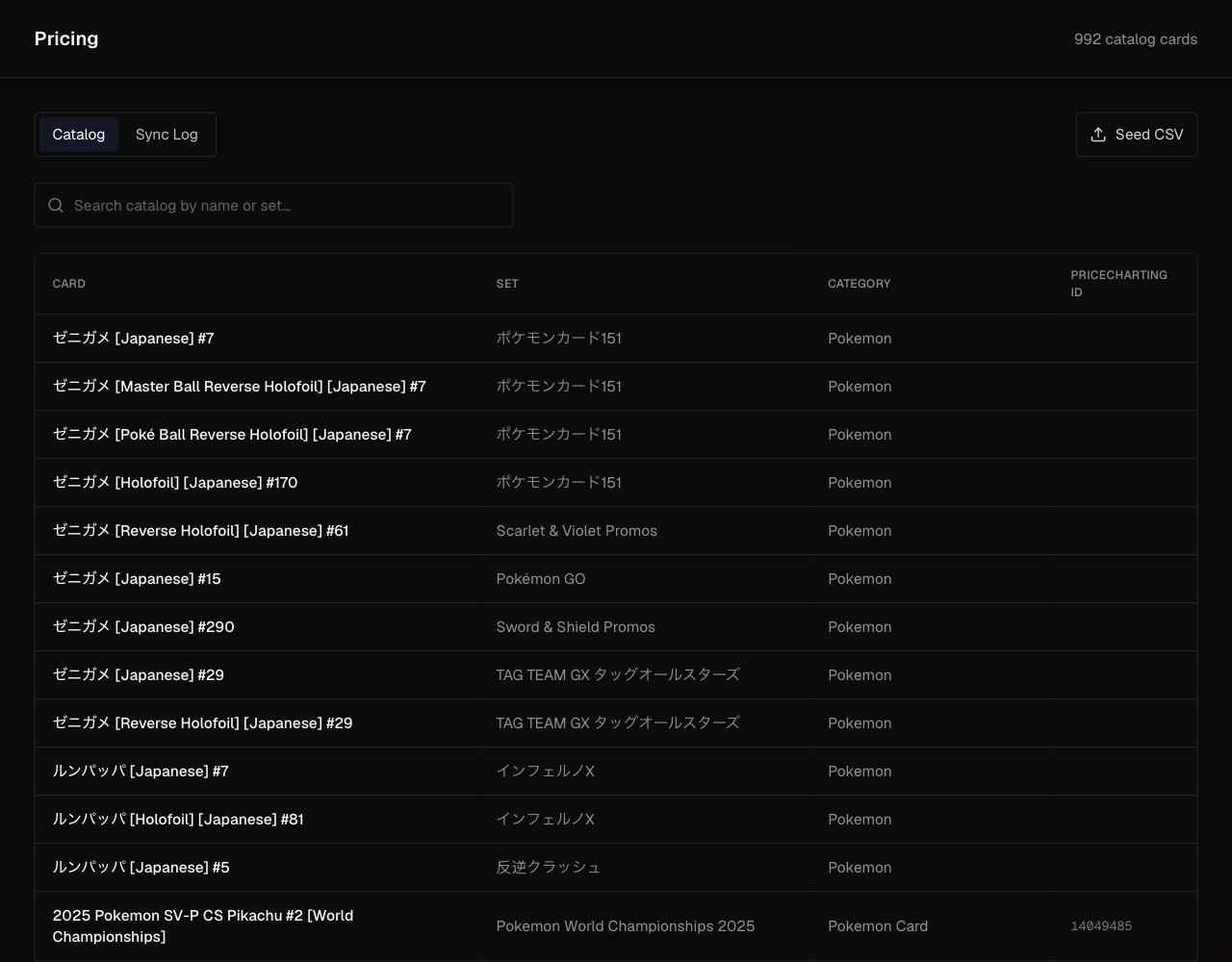
Tabs
| Tab | What it is for |
|---|---|
| Catalog | Browse and search the cards |
| Sync Log | The history of price syncs |
| Seed CSV | Load cards into the catalog from a CSV file |
Catalog
| Column | What it shows |
|---|---|
| Card | The card's name |
| Set | The set it belongs to |
| Category | The game or category |
| PriceCharting ID | The ID used to fetch its market value |
Search by card name or set.
Pricing rules
How catalog values turn into pack prices is set under Settings → Catalog.
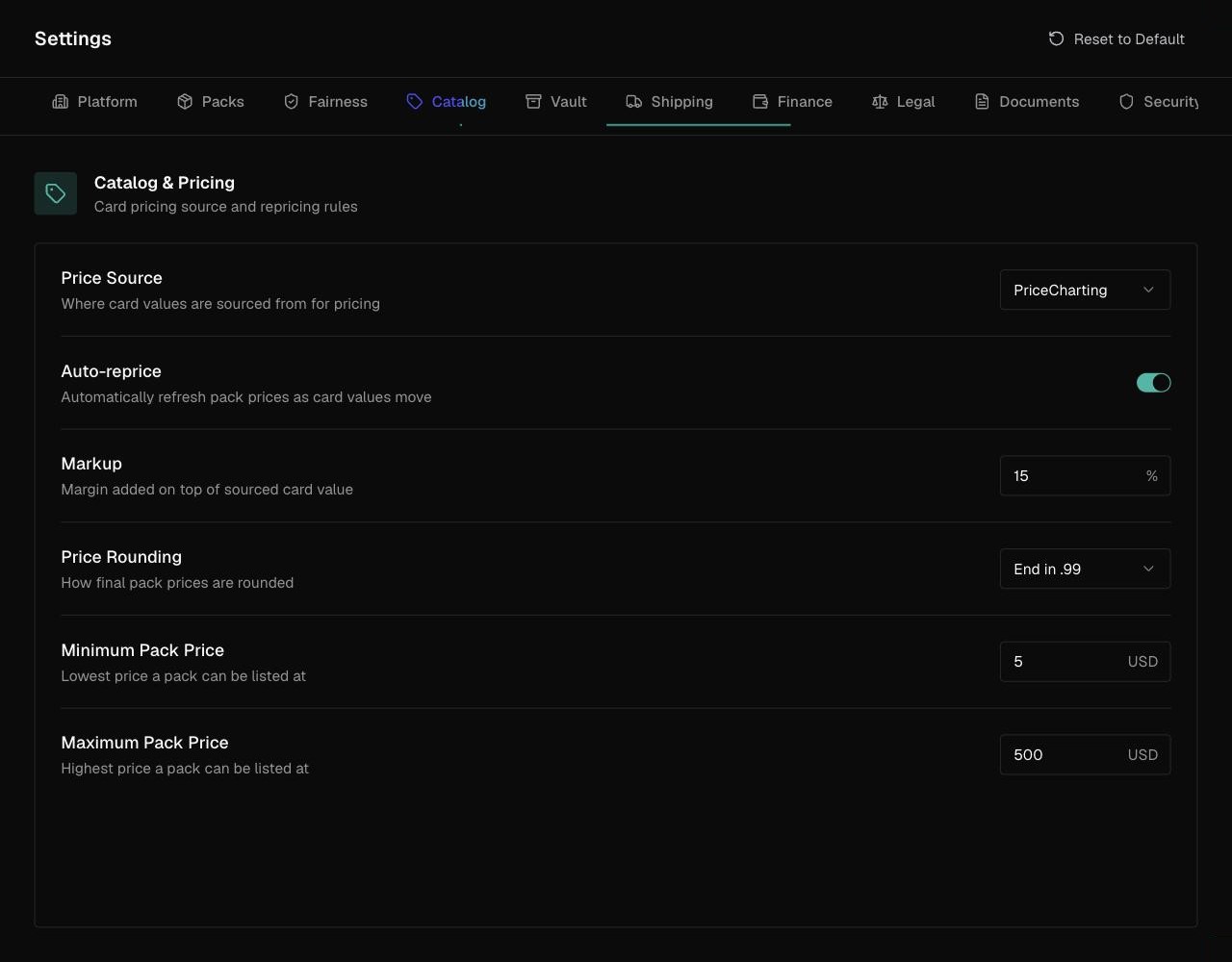
| Setting | What it does |
|---|---|
| Price Source | Where card values come from |
| Auto-reprice | Refreshes pack prices automatically as card values move |
| Markup | The margin added on top of the sourced card value, as a percentage |
| Price Rounding | How final pack prices are rounded, for example End in .99 |
| Minimum Pack Price | The lowest price a pack can be listed at, in USD |
| Maximum Pack Price | The highest price a pack can be listed at, in USD |
Auto-reprice
With Auto-reprice on, pack prices follow the market. With it off, prices stay where you set them and you reprice by hand. Turn it off if you advertise fixed prices.
The minimum and maximum pack price act as guard rails for auto-reprice. A sharp move in one card's value cannot push a pack outside them.