
Packs
Packs and Singles
The two product types on a packs platform and how to read their lists.
A packs platform sells two kinds of product, both under Platform Management → Products.
| Product | What the player opens | Cards per open |
|---|---|---|
| Pack | A multi-card pack drawn from a pool | Several, for example 5 or 10 |
| Single | A one-card pull from a pool | 1 |
The two pages work the same way. Only the product type differs.
Reading the list
Counters at the top show Total Packs, Avg Price and Avg RTP across the list.
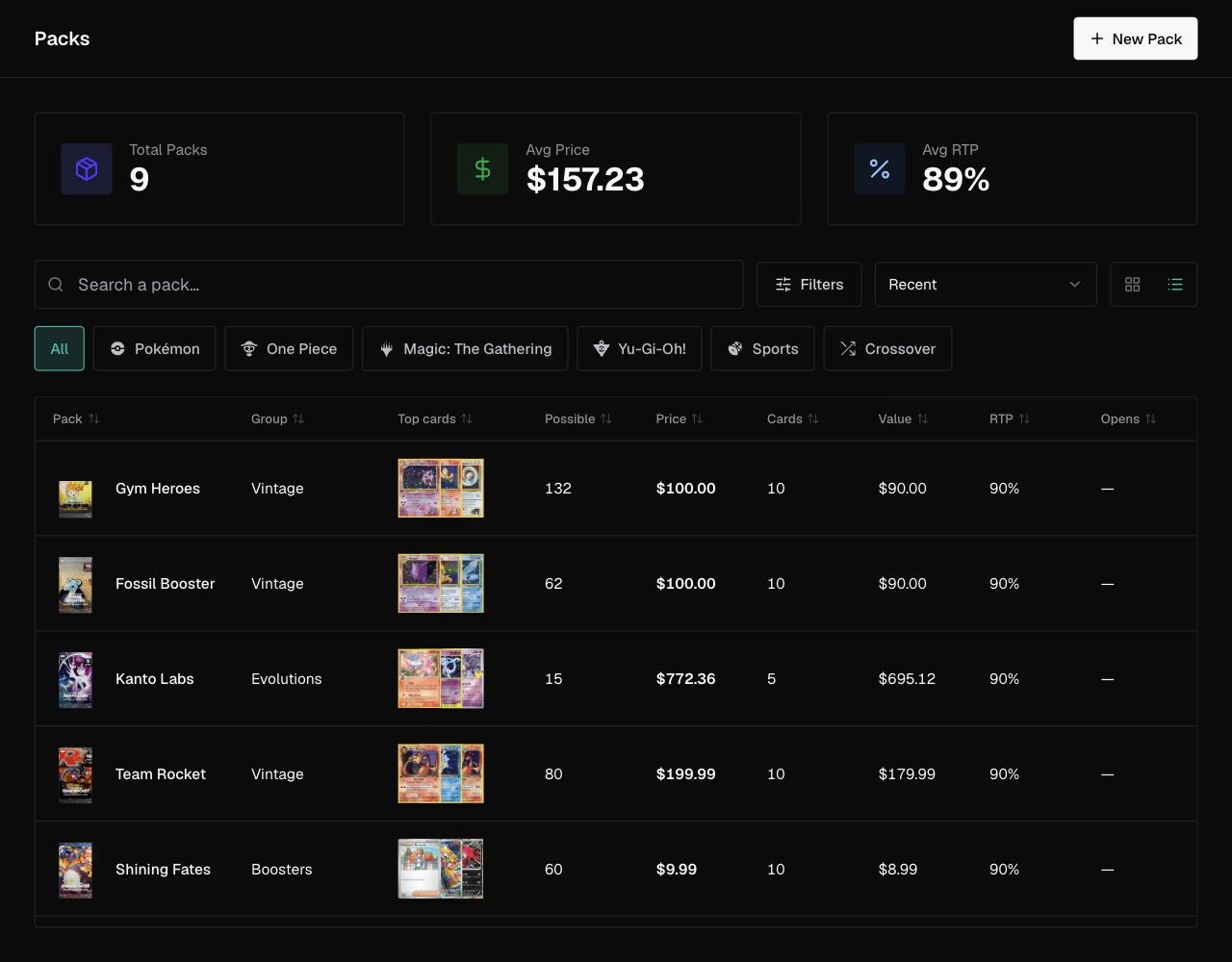
| Column | What it shows |
|---|---|
| Pack | The product's name and artwork |
| Group | The group the product is filed under on your storefront, for example Vintage or Boosters |
| Top cards | The most valuable cards in the pool |
| Possible | How many different cards the pool contains |
| Price | What the player pays per open |
| Cards | How many cards one open reveals |
| Value | The expected value of one open: the average card value it returns |
| RTP | The return-to-player set for the product |
| Opens | How many times it has been opened |
Price, Value and RTP
RTP is the share of the price that comes back to players as card value over many opens. A $100 pack at 90% RTP returns $90 of card value on average, and the remaining $10 is your margin before buy-backs and costs.
Compare Value with Price when you review the list. A product whose value is above its price is paying out more than it takes in.
Finding products
| Control | What it does |
|---|---|
| Search a pack | Finds a product by name |
| Game filters | All, Pokémon, One Piece, Magic: The Gathering, Yu-Gi-Oh!, Sports, Crossover |
| Filters | Further filtering options |
| Sort menu | Changes the order, for example Recent |
| Grid view / Row view | Switches the layout |
Creating a product
Click New Pack on the Packs page or New Single on the Singles page. The form is covered step by step in Create a pack.
Platform-wide behaviour, such as the default RTP, buy-back rate and reveal animation, is set once under Pack settings. How a card's rarity label is chosen is set under Rarities.