
Getting started
How Axis works
The two platform types, where each one lives, and how the back office is laid out.
Axis gives you the software to run a real-money platform under your own brand. You operate the platform: you choose the games, set the limits, design the bonuses, price the packs and decide how withdrawals are handled. Everything you configure lives in the back office, and your players see the result on your storefront.
Platform types
One Axis account can hold more than one platform. There are two types today.
| Type | What players do | Back office | Default storefront URL |
|---|---|---|---|
| Casino | Play casino games, trade prediction markets | platform.axis.inc/{code} | {code}.axis.inc |
| Packs | Open card packs, sell cards back, ship cards | packs.axis.inc/{code} | {code}-packs.axis.inc |
{code} is your platform identification code. You can find and copy it in Settings → Platform.
Both types share the same players list, team, promocodes, ranks, operations, KYC, fraud and SEO pages. Each type also has pages of its own: the casino has Games, Wager Bonuses and Markets, and packs has Products, Pricing, Rarities and Fulfillment.
How the back office is laid out
The sidebar has three groups.
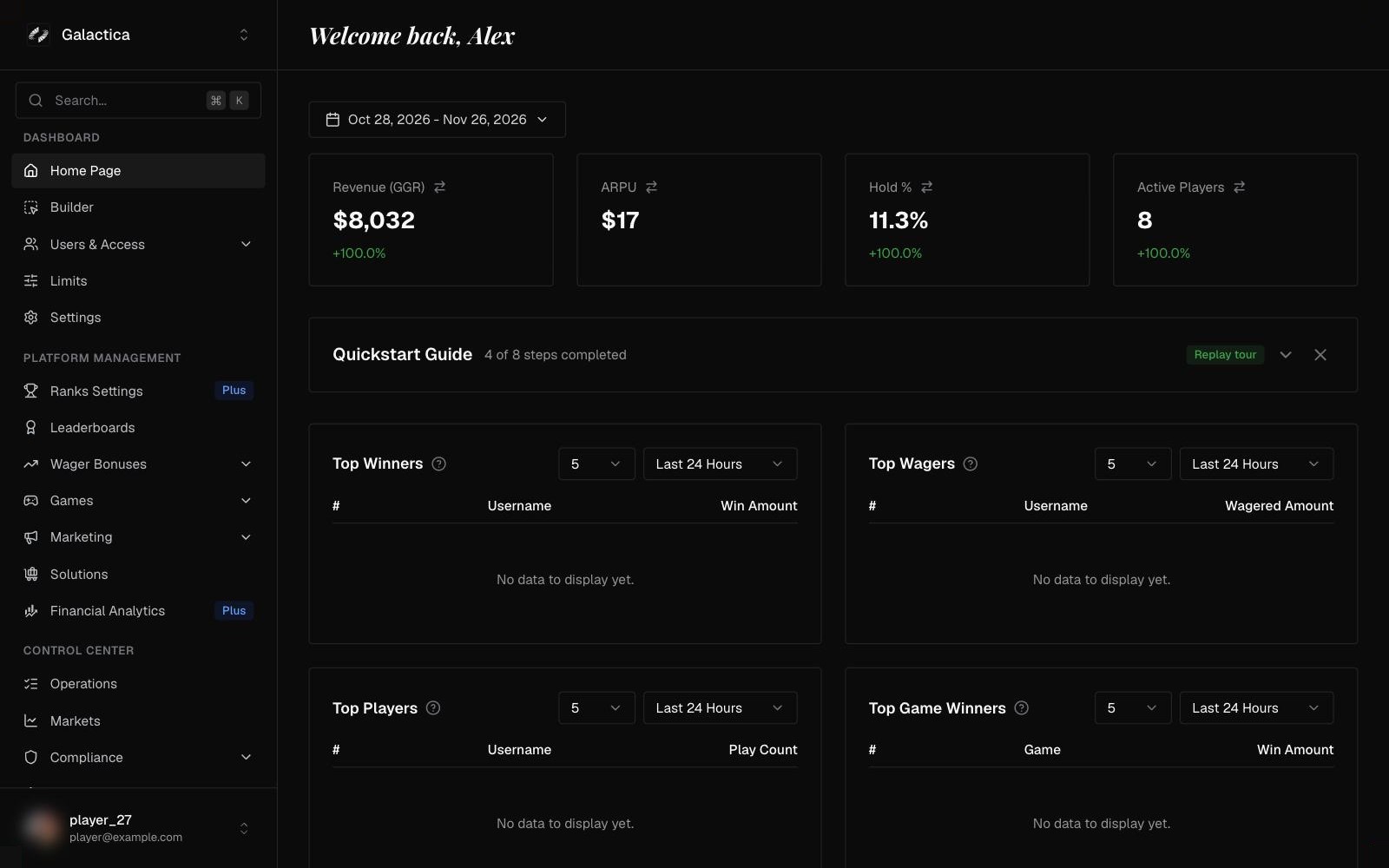
| Group | What it holds |
|---|---|
| Dashboard | Home, Builder, Users & Access, Limits (casino), Inventory (packs), Settings |
| Platform Management | The things players interact with: games, packs, ranks, bonuses, marketing |
| Control Center | Money and risk: Operations, Markets, Compliance, Fraud Detection, SEO Settings |
At the top of the sidebar is the platform switcher. At the bottom is your account menu.