
Players
Countries
Choose which countries can use your platform.
Compliance → Countries Settings controls where your platform is available. Every country is either Allowed or Blocked.
Three counters at the top show the totals: Total Countries, Allowed and Blocked.
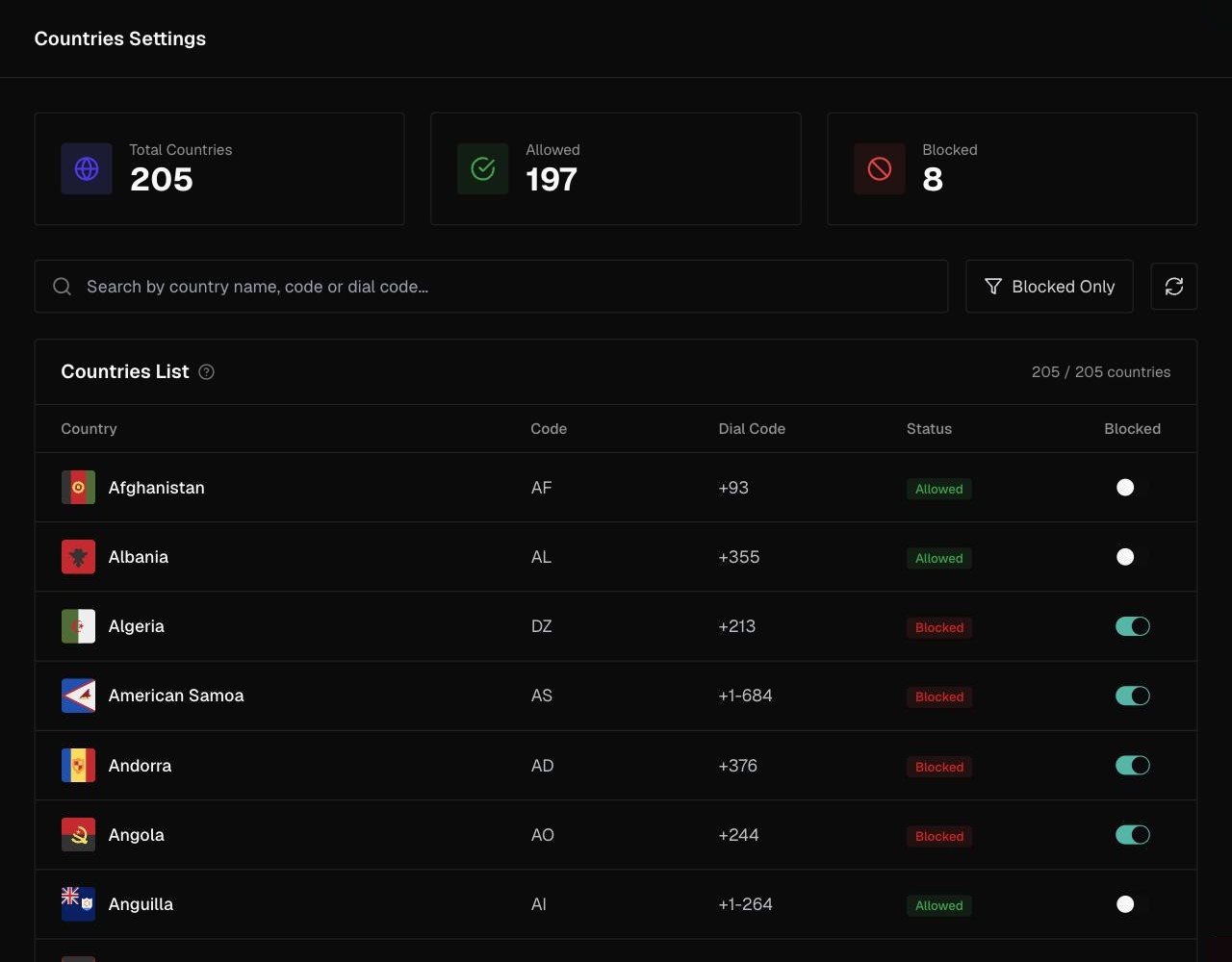
The list
| Column | What it shows |
|---|---|
| Country | The country name |
| Code | The two-letter country code |
| Dial Code | The international dialling prefix |
| Status | Allowed or Blocked |
Finding a country
- Search by country name, country code or dial code.
- Turn on Blocked Only to see just the countries you have blocked.
Blocking a country
Change a country's status to Blocked to stop players there from using your platform.
Blocked-country activity also feeds Fraud Detection. An attempt from a restricted location appears there as a Geo Restriction alert.
Your responsibility
Axis gives you the control. Deciding which countries you are permitted to serve is your responsibility as the operator, based on your licence and legal advice.