
Compliance
Fraud Detection
The fraud dashboard, the alert queue, and the rules that raise alerts.
Control Center → Fraud Detection has three pages.
| Page | What it is for |
|---|---|
| Dashboard | A summary of alerts and risky players |
| Alerts | The full alert queue |
| Rules | The detection rules that raise alerts |
Dashboard
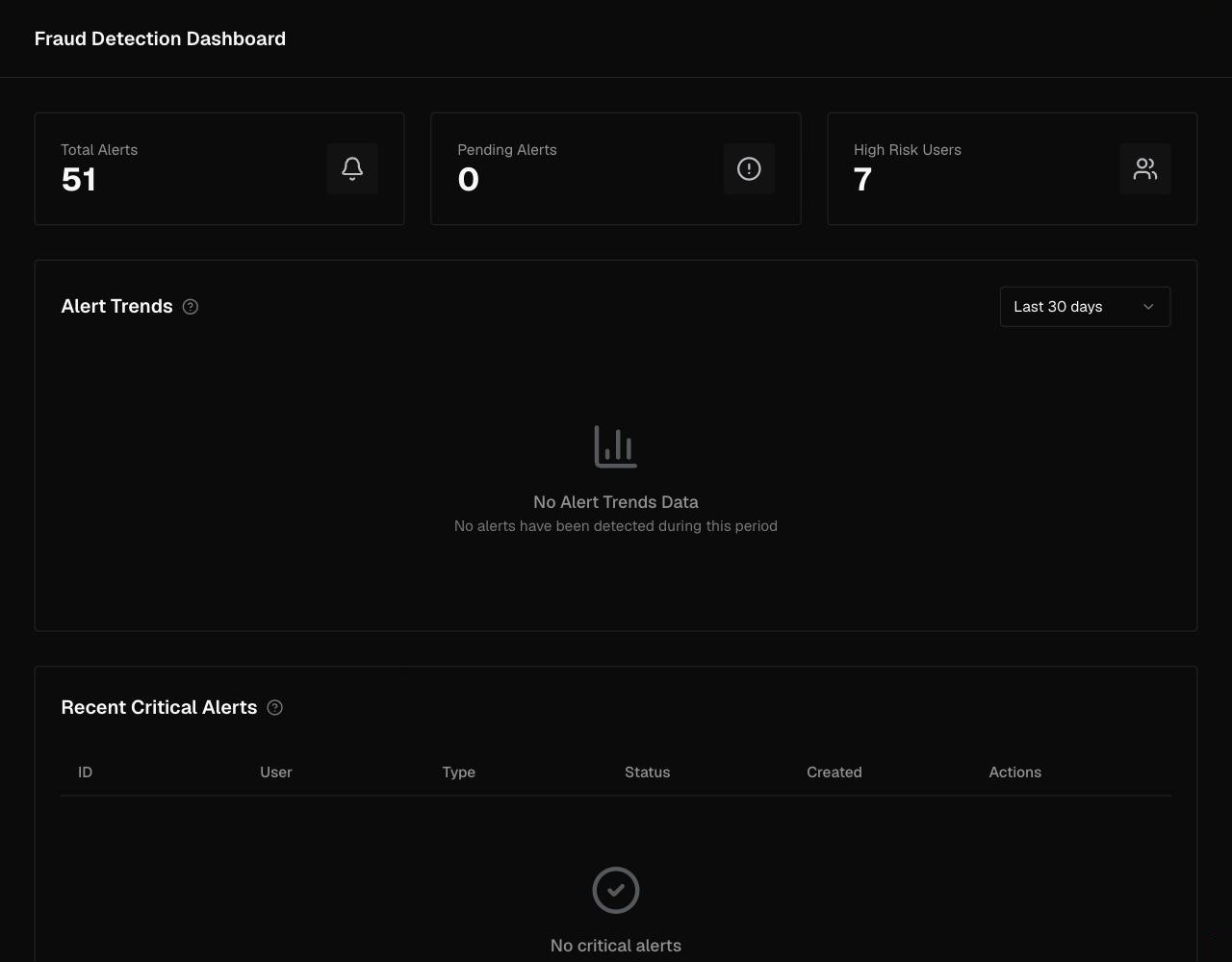
| Panel | What it shows |
|---|---|
| Total Alerts | Every alert raised |
| Pending Alerts | Alerts nobody has resolved yet |
| High Risk Users | The number of players at high risk level |
| Alert Trends | Alerts over time, for a period you choose (for example the last 30 days) |
| Recent Critical Alerts | The latest critical alerts with their user, type and status |
| Top Risky Users | Players ranked by risk score and risk level |
Start each day with Pending Alerts and Recent Critical Alerts.
Alerts
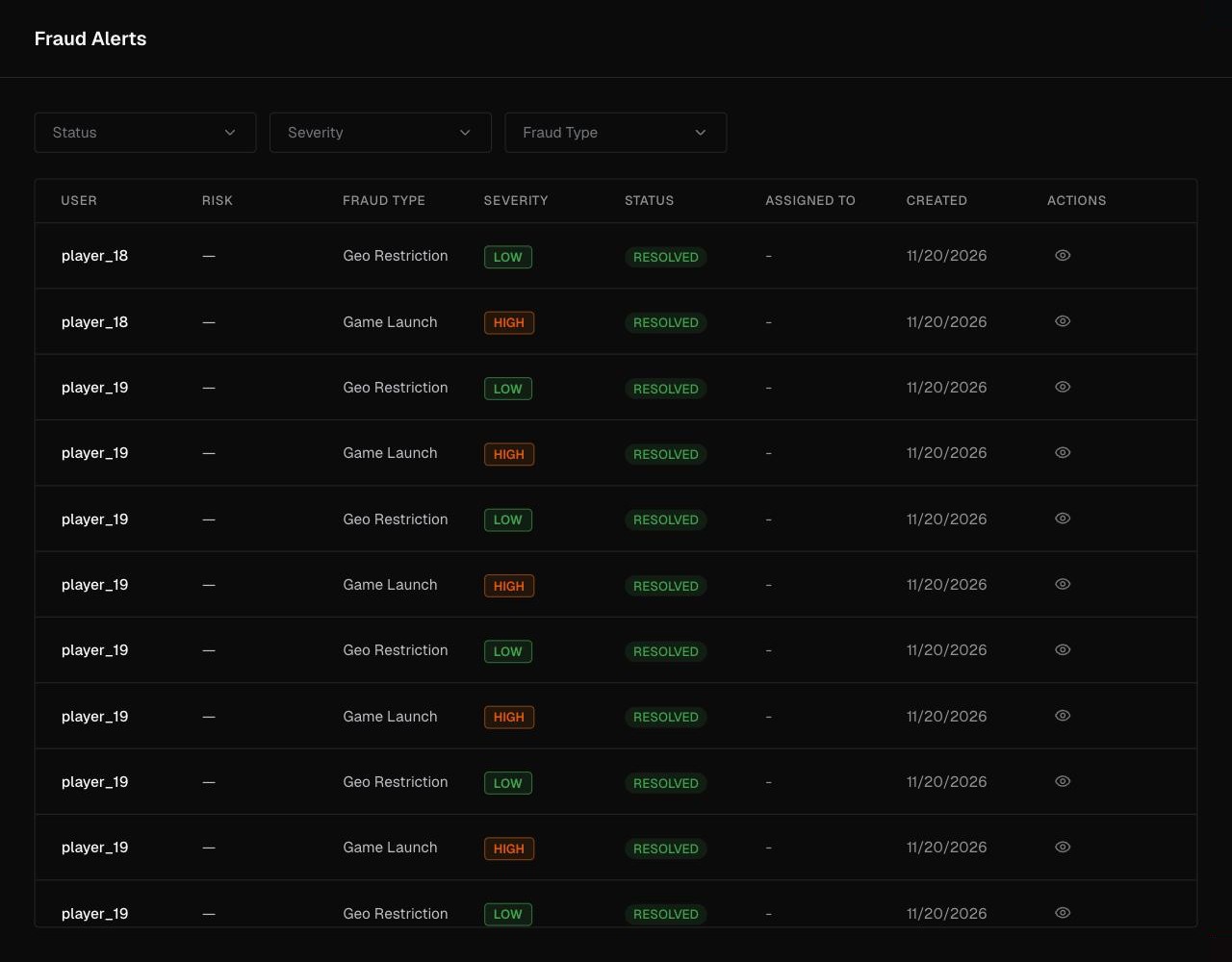
| Column | What it shows |
|---|---|
| User | The player the alert is about |
| Risk | The player's risk score |
| Fraud Type | What kind of behaviour triggered it |
| Severity | How serious it is, for example LOW or HIGH |
| Status | Where the alert is in your process, for example RESOLVED |
| Assigned To | The operator handling it |
| Created | When it was raised |
Filter by Status, Severity or Fraud Type.
Fraud types you will see
| Type | Raised when |
|---|---|
| Geo Restriction | A player acts from a restricted location |
| Game Launch | A game launch matches a rule |
| Registration | A signup matches a rule |
Working an alert
- Open the alert and review the player's activity.
- Assign it to yourself or a colleague.
- Take action on the player if needed.
- Mark the alert resolved.
Rules
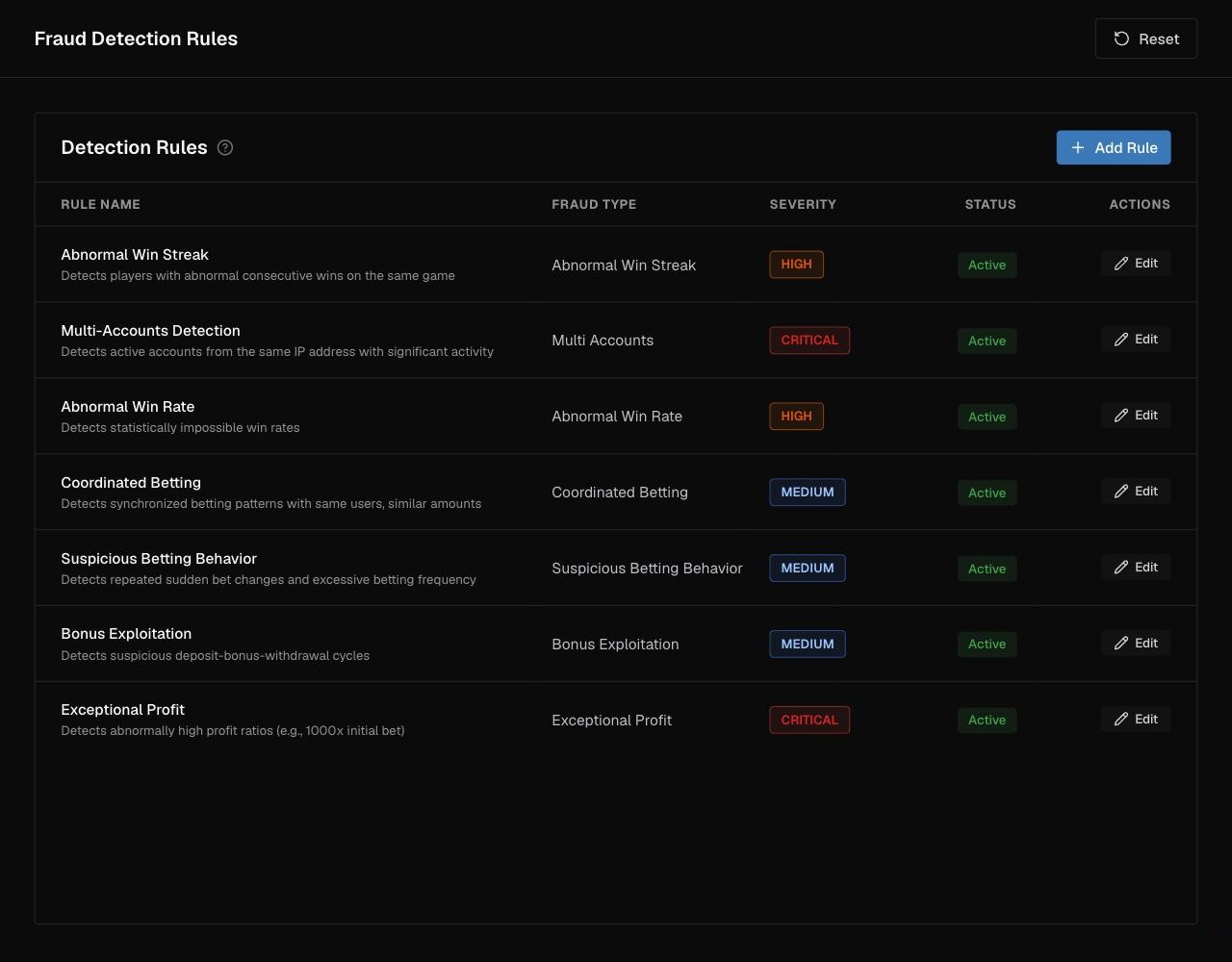
A rule defines what to look for and how seriously to treat it.
The built-in rules
Every platform starts with seven rules.
| Rule | What it detects | Severity |
|---|---|---|
| Abnormal Win Streak | Abnormal consecutive wins on the same game | High |
| Multi-Accounts Detection | Active accounts from the same IP address with significant activity | Critical |
| Abnormal Win Rate | Statistically impossible win rates | High |
| Coordinated Betting | Synchronised betting patterns between the same users with similar amounts | Medium |
| Suspicious Betting Behavior | Repeated sudden bet changes and excessive betting frequency | Medium |
| Bonus Exploitation | Suspicious deposit, bonus, withdrawal cycles | Medium |
| Exceptional Profit | Abnormally high profit ratios, for example 1000x the initial bet | Critical |
| Column | What it shows |
|---|---|
| Rule Name | What the rule is called |
| Fraud Type | The kind of behaviour it detects |
| Severity | The severity given to alerts it raises |
| Status | Whether the rule is on |
| Action | What it does |
|---|---|
| Add Rule | Creates a rule |
| Edit | Changes a rule |
| Reset | Restores the default rules and discards your changes |
Adding a rule
- Click Add Rule.
- Enter a Name, for example "Race Exploitation".
- Describe what the rule detects in Description.
- Choose a Severity: Low, Medium, High or Critical.
- Leave Status on Active to start it immediately.
- Click Add Rule.
Tuning
- If one rule floods the queue with low-severity alerts, tighten it or lower its severity.
- Keep high-severity rules few and precise so the critical list stays meaningful.
Notifications
Fraud alerts can appear in your notification centre. Turn them on under Settings → Notifications → Fraud alerts.