
Compliance
Legal entity, documents and maintenance
Record your company details and owners, store compliance documents, and put the platform into maintenance.
Legal entity
Settings → Legal records the company that operates the platform.
| Field | What to enter |
|---|---|
| Legal entity name | The registered legal name of your company |
| Registration number | Your entity registration or company number |
| Date of incorporation | When the entity was formed |
| Business address | Your registered business address |
Directors and beneficial owners
Use Add person to list each director and owner. Include anyone with 25% or more ownership. The page shows the total equity you have accounted for, so you can see when the list is complete.
Documents
Settings → Documents stores corporate and compliance documents for the platform. There are seven slots.
| Document | What it is |
|---|---|
| Articles of Incorporation | Company formation and registration documents |
| Shareholder Registry | The ownership registry showing shareholders and UBOs |
| Proof of Business Bank Account | A bank statement or letter proving the account is legitimate |
| Responsible Gaming Policy | Your responsible gaming procedures and player protections |
| AML / KYC Policy | Your anti-money-laundering and KYC procedures |
| Wire Details | Bank wire instructions and account details |
| Proof of Source of Funds | Documentation showing where your operating capital came from |
Each slot accepts a PDF, image or Word file up to 10 MB. Click the slot or drag a file onto it.
Legal pages for players
Links to your privacy policy, terms of service and responsible gaming page are set under Settings → Platform. See Platform details.
Maintenance mode
Settings → System (casino platforms) holds three settings.
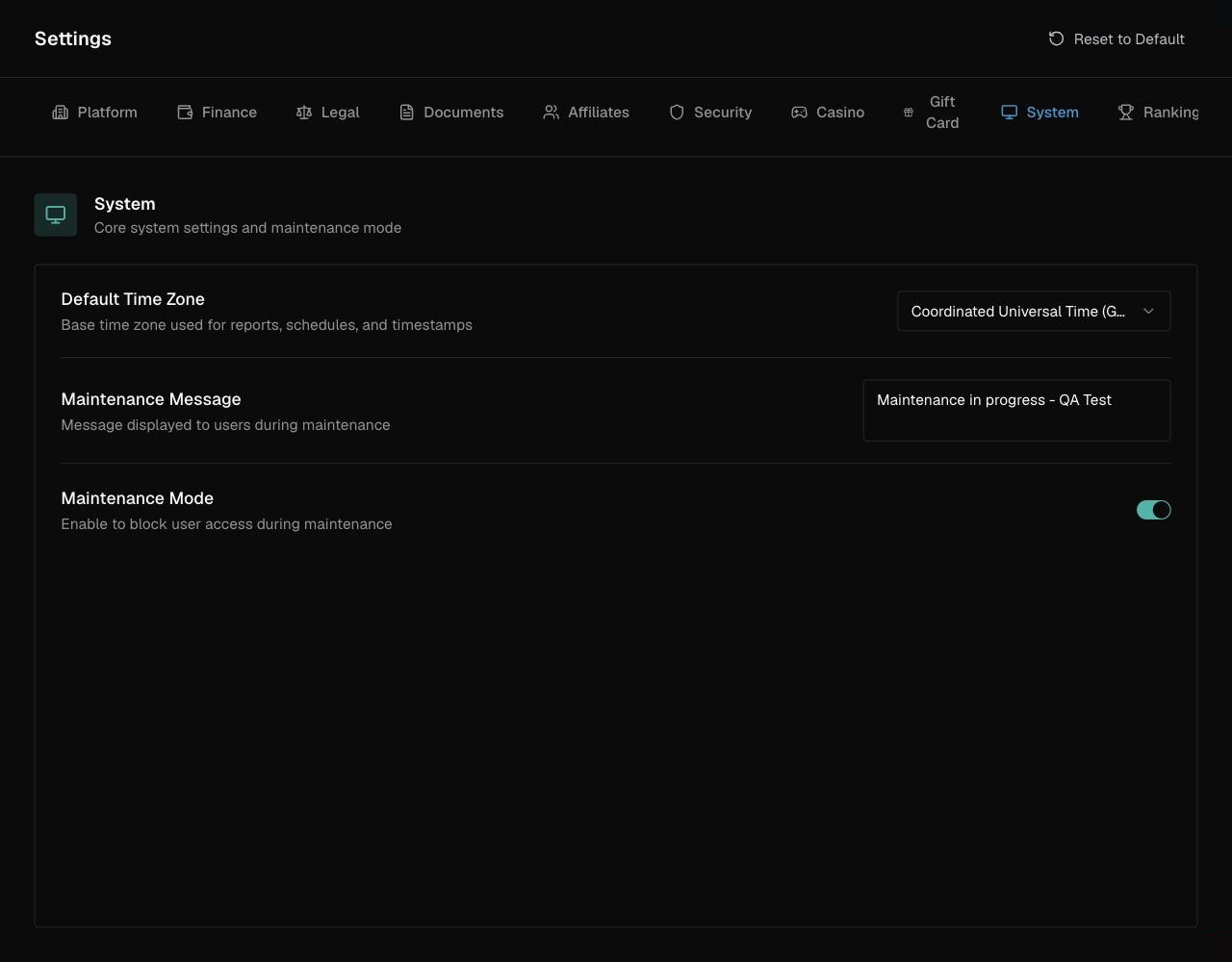
| Setting | What it does |
|---|---|
| Default Time Zone | The base time zone used for reports, schedules and timestamps |
| Maintenance Message | The message players see during maintenance |
| Maintenance Mode | Blocks player access while it is on |
Taking the platform down for maintenance
- Write a Maintenance Message that tells players when you expect to be back.
- Turn on Maintenance Mode.
- Do your work.
- Turn Maintenance Mode off and check the storefront loads.
Gift cards
Settings → Gift Card (casino platforms) brands gift-card purchases.
| Setting | What it does |
|---|---|
| Brand Name | The name shown to players instead of "Gift Card", for example "Casino Cash" |
| Purchase URL | The link where players can buy gift cards |
Affiliates
Settings → Affiliates holds the defaults for your affiliate programme.
| Setting | What it does |
|---|---|
| Default Commission | The default commission rate for affiliate campaigns, as a percentage |
| Show Affiliate Info | Shows campaign and referrer details on the player's account settings page |