
Getting started
Sign in and switch platforms
Signing in at id.axis.inc, moving between your platforms, and finding pages fast.
Signing in
All operator sign-in happens at id.axis.inc. You can continue with:
- X
- Your email address
New operators use Sign up on the same page.
If your session ends, the back office shows "You've been logged out" with a Back to sign in button. Unsaved changes on the page you were on are not kept, so save before leaving a page open for a long time.
Switching platforms
Click the platform name at the top of the sidebar to open the switcher. It lists every platform on your account and an Add new platform option.
Switching to a packs platform moves you to packs.axis.inc. Switching to a casino platform moves you to platform.axis.inc. The sidebar changes to match the platform type.
Finding pages
| Shortcut | Opens | Searches |
|---|---|---|
⌘K | Page search | Pages, users, games, providers and promocodes |
⌘J | Ask Axis | Ask a question in plain language |
The search box in the sidebar opens page search by default. To make it open Ask Axis instead, turn on Settings → Platform → Ask Axis Default Search.
Platform details
Settings → Platform holds the identity of the platform you are viewing.
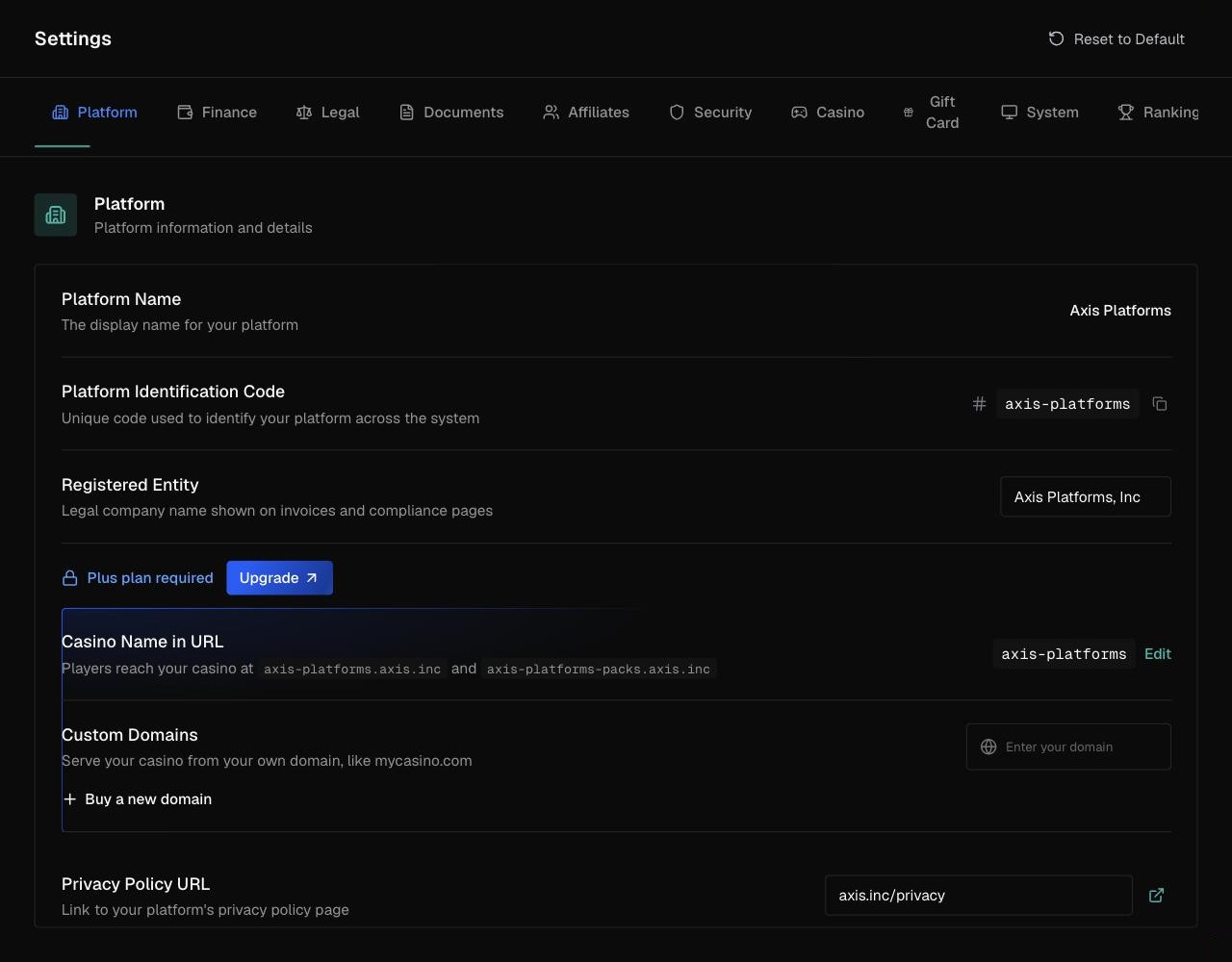
| Field | What it is |
|---|---|
| Platform Name | The display name for the platform |
| Platform Identification Code | The unique code that identifies the platform across Axis. Use the copy button when support asks for it |
| Registered Entity | The legal company name shown on invoices and compliance pages |
| Casino Name in URL | The name in your default storefront addresses ({name}.axis.inc and {name}-packs.axis.inc). Casino platforms only |
| Custom Domains | Serve the storefront from your own domain. Enter a domain you own, or use Buy a new domain |
| Privacy Policy URL | Link to your privacy policy |
| Terms of Service URL | Link to your terms of service |
| Responsible Gaming URL | Link to your responsible gaming resources. Casino platforms only |
| Current Plan | Your subscription plan |
| Date Created / Last Updated | When the platform was created and last changed |
Removing a platform
Remove Platform takes the platform off your account. Its data is kept.
Reset to Default
The Reset to Default button at the top of Settings applies to the settings page as a whole. Check which tab you are on before using it.